Guides & Workflows / Setup guides
How to install a stinger transition in OBS and Streamlabs
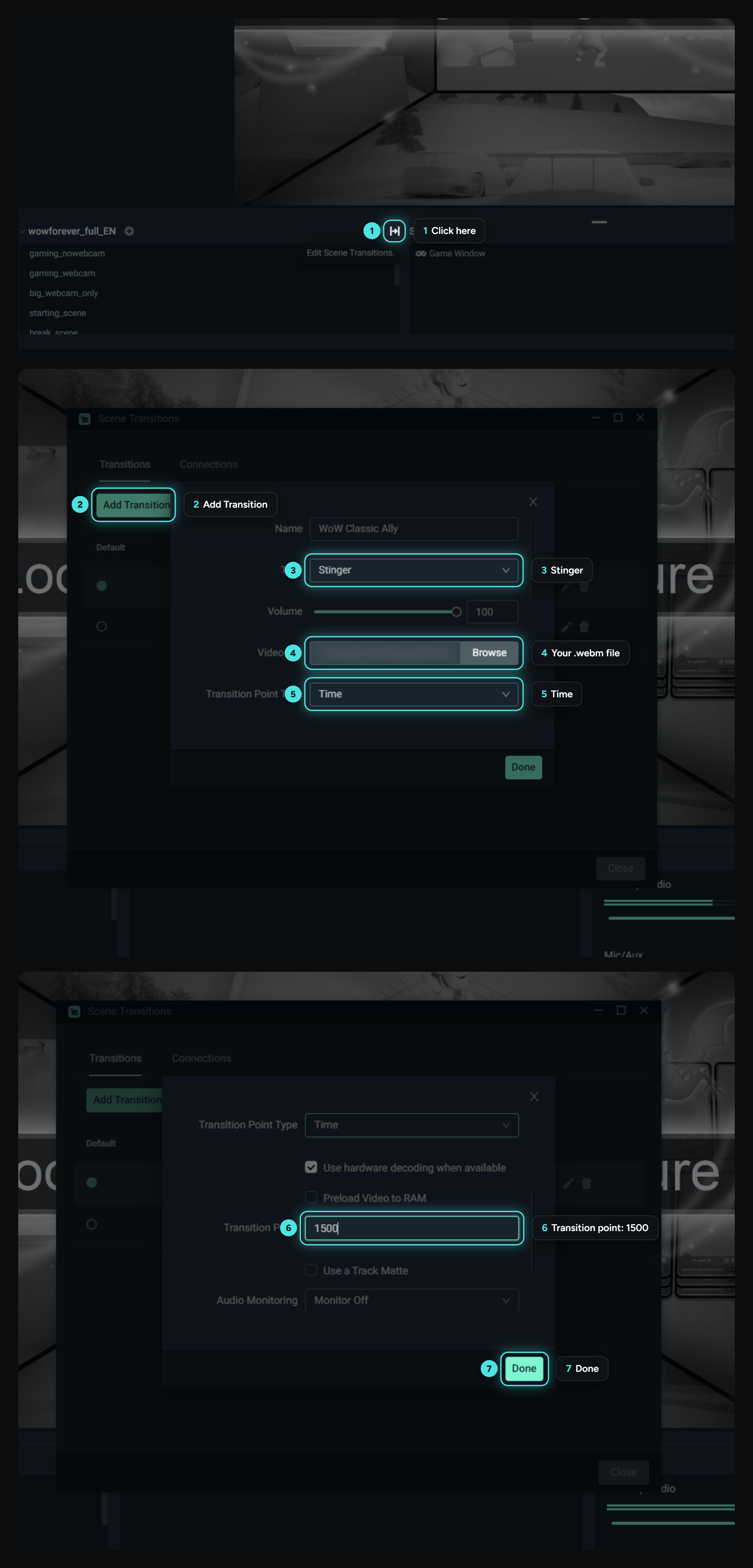
Setup guides You bought a transition on my shop? Here's how to install it in OBS Studio and Streamlabs Desktop, and how to find the right transition point.
Published on Oct. 23, 2026 · 1 min read

You bought a transition on my shop?
A stinger transition is a short video played between two scenes.
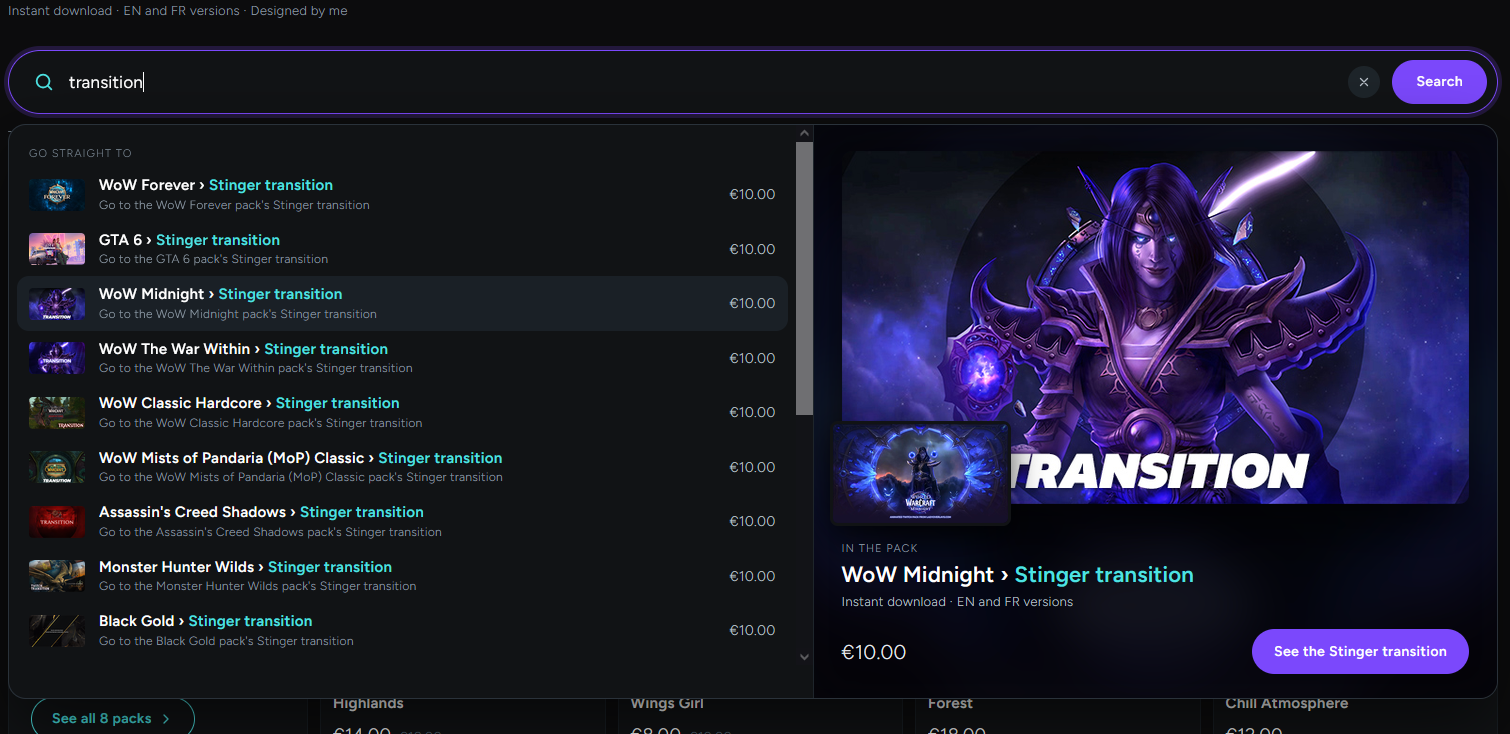
Find all the transitions by typing "transition" in the shop search bar: ladyoverlays.com/shop
The transition point
The transition point is the moment when OBS switches from the old scene to the new one, hidden behind the transition.
If your transition point isn't written in a help file, here's how to "guess" it:
- Start with half the length of the video: for a 3-second video, put 1500 (1500 milliseconds = 1.5 seconds).
- Click on another scene to play the transition and check whether you can see the scene change.
- If you can, adjust by steps of 100 until it's well hidden.
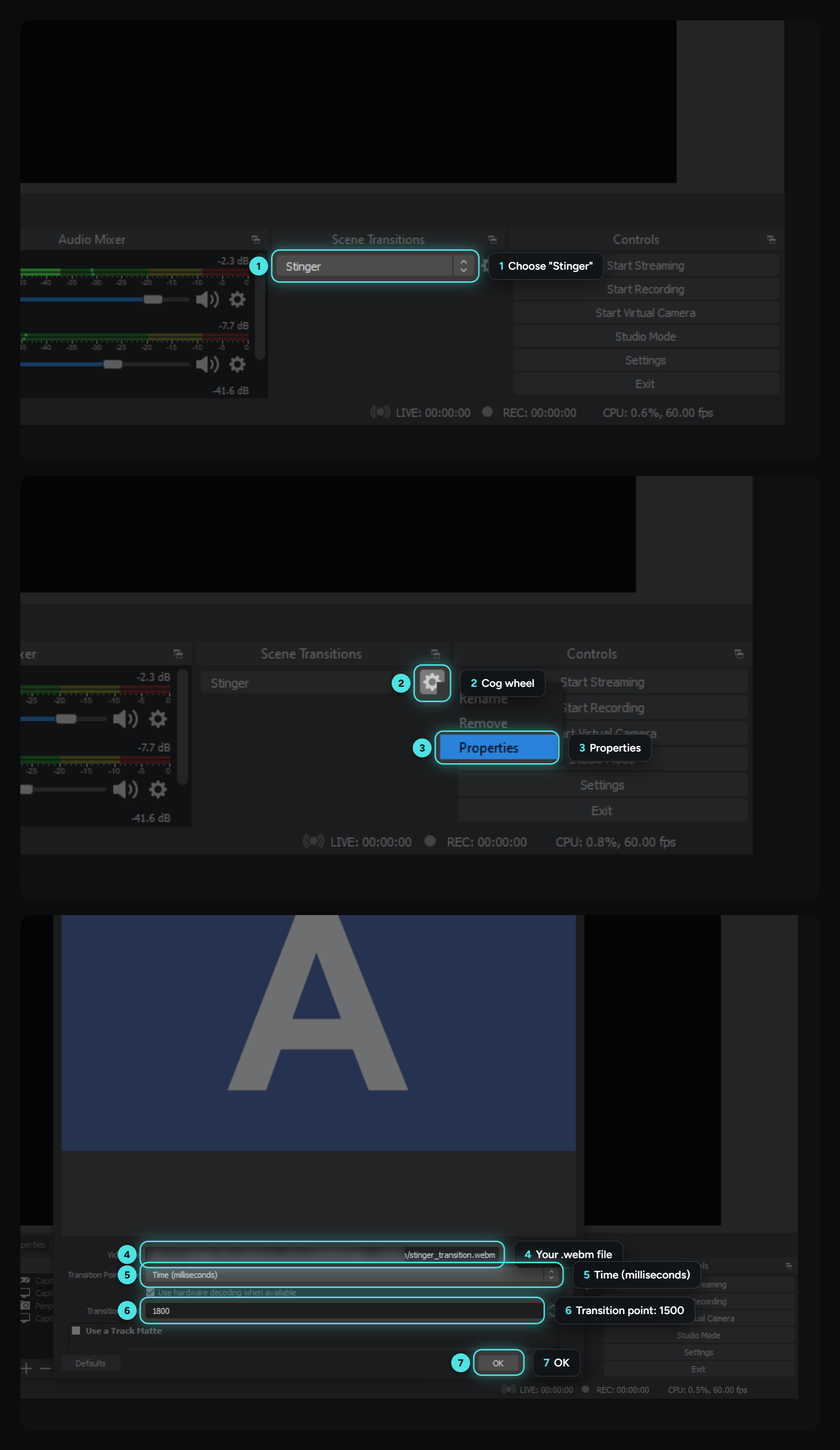
In OBS Studio
In Streamlabs Desktop